Live Dock previews
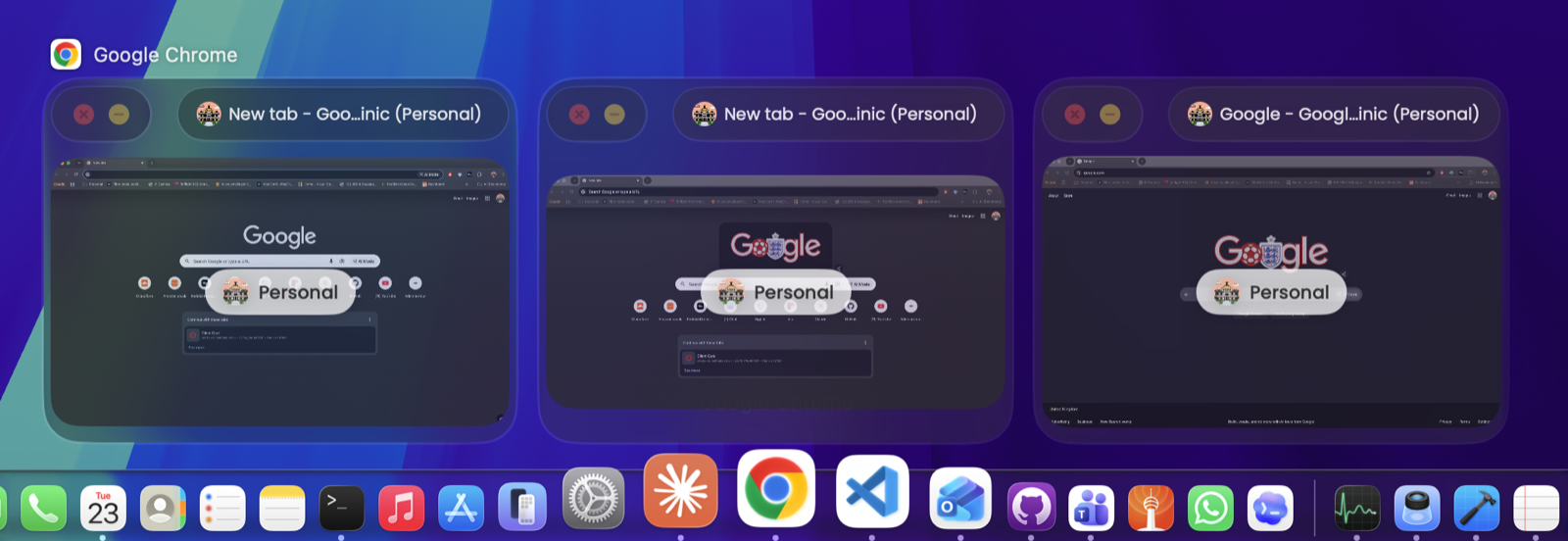
Hover any app in the Dock to see every open window. Switch, minimise, close or quit straight from the preview—without hunting through overlapping windows.
The Dock you already know, made useful Native macOS utility · v1.20.26
See every window before you switch. ReddishGreen Dock adds live Dock previews, a lightning-fast window switcher and the little power tools macOS has always been missing.
Hover, switch, launch, paste and capture without breaking your flow. Every tool is close when you need it and quiet when you don’t.
Hover any app in the Dock to see every open window. Switch, minimise, close or quit straight from the preview—without hunting through overlapping windows.
The Dock you already know, made usefulA fast visual switcher for individual windows—not just apps. Search, use arrow keys, Tab or Vim motions, and land exactly where you meant to.
Option-Tab · Cmd-Tab · Keyboard-firstA clean, paged grid of every app. Type to search, arrow around and press Return to launch.
Real profile names and avatars tell similar Chrome windows apart at a glance.
Search your last 100 copies, pin the useful ones and paste them back with a hotkey.
Capture a region, then add arrows, shapes, steps, text and blur before copying it out.
Sample any pixel and copy HEX, RGB, HSL, HSB or SwiftUI values instantly.
Preview pinned folders, copy paths and jump straight to the item you need.
Media controls, live lyrics, calendar events and your next Teams meeting—right in a preview.
ReddishGreen Dock is a small native menu-bar app, signed and notarised for macOS. It isn’t on the App Store, so it can integrate deeply with the Dock while keeping control—and your data—on your Mac.
How privacy worksClipboard history, screenshots, colours and window previews are processed on-device. They are never uploaded to us.
Nothing leaves your MacReddishGreen Dock is free during early access. Join the group, try it on your Mac, and tell us what deserves to stay.
Join free early access macOS 13 Ventura or later · 19 MB · v1.20.26